Open source · Self-hosted · Agent-first

End-to-end AEO execution.

Track how ChatGPT, Gemini, Claude, and Perplexity cite your pages. Join that evidence with search, analytics, technical, and traffic data. Give your coding agent the tools to close the gap.

Latest release v4.133.3. Local SQLite. Your provider keys. Your infrastructure.

Install CanonryNode 22+
brew tap canonry/canonrybrew install canonry

Then run cnry init and cnry serve.

Native agent plugins

Bring Canonry into Codex or Claude Code.

Install the runtime once, then add the native plugin for the coding agent you already use. Canonry brings its skills and MCP tools into that agent while the local dashboard stays your review surface.

Choose the native plugin or a standalone MCP setup, not both. Read the plugin guide

Connect your agentNative plugin
codex plugin marketplace add Canonry/canonrycodex plugin add canonry@canonry

First run cnry init --skip-skills --skip-mcp, then cnry start.

One typed system

Four entry points for the same evidence.

30+

CLI commands

Every command supports structured JSON output for agents, scripts, and CI.

cnry runs --tail --format json
118

REST endpoints

The dashboard and agent tools share one versioned OpenAPI surface.

GET /api/v1/citations
48

MCP tools

Five toolkits load on demand in Codex, Claude, Cursor, and other MCP clients.

tools/competitor_gap
6

Webhook events

Signed project events can wake your agent when citations or evidence change.

citation.gained

Observability for humans

See what changed before your agent acts.

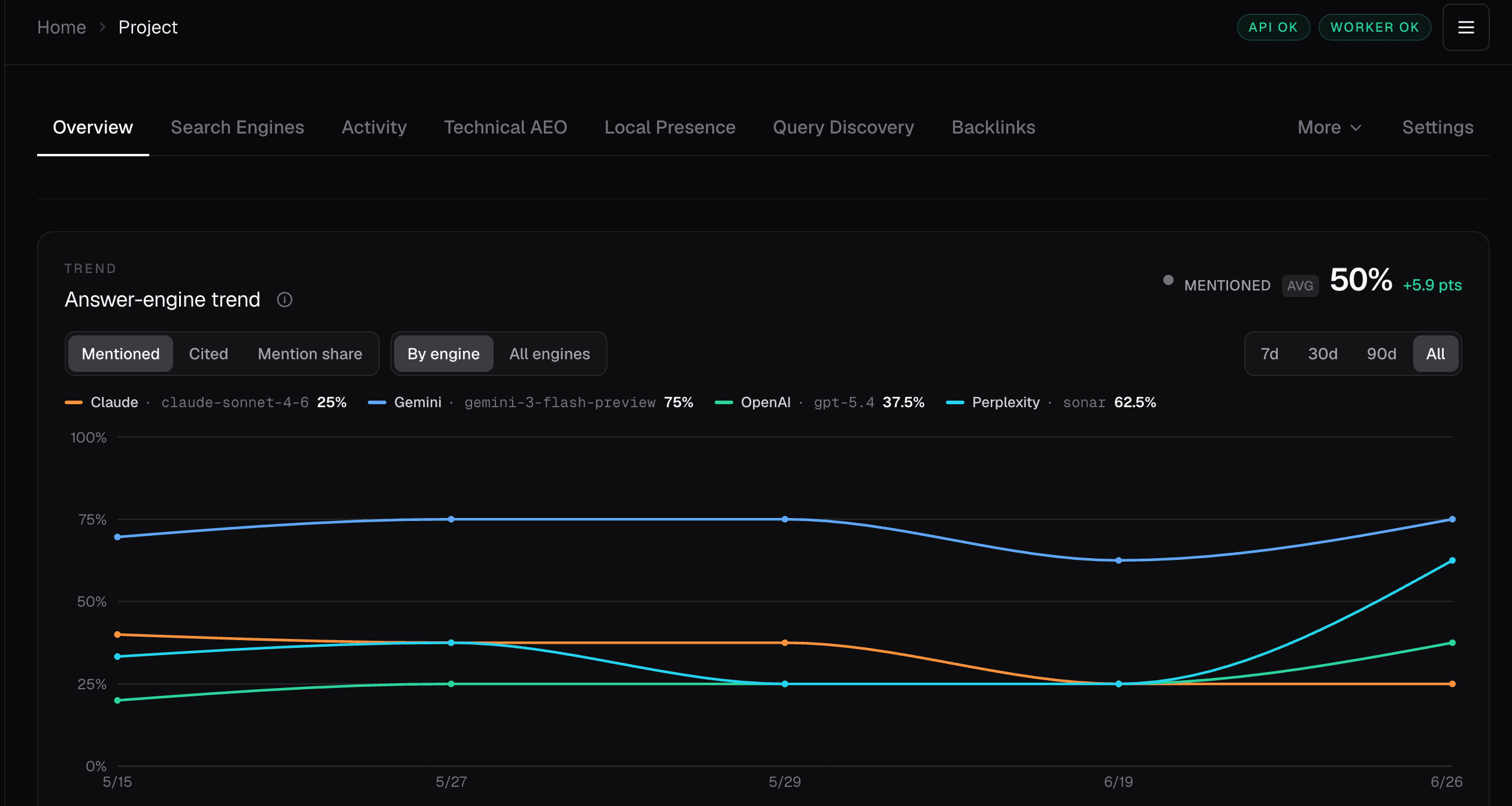
The dashboard is the approval and evidence surface. Your agent can work through structured tools while you keep the current state, history, and proposed next step in view.

localhost:4100 / projects / canonrySelf-hosted
Canonry self-hosted dashboard showing project status, evidence, recent runs, and infrastructure health
A real Canonry dashboard surface. The same project state is available to agents through CLI, REST, and MCP.

The operating loop

Evidence in. Reviewed action out.

Canonry is agent-neutral infrastructure. It provides the operating record and typed surface. The browser stays the companion for review and authorization.

  1. 01

    Connect the evidence

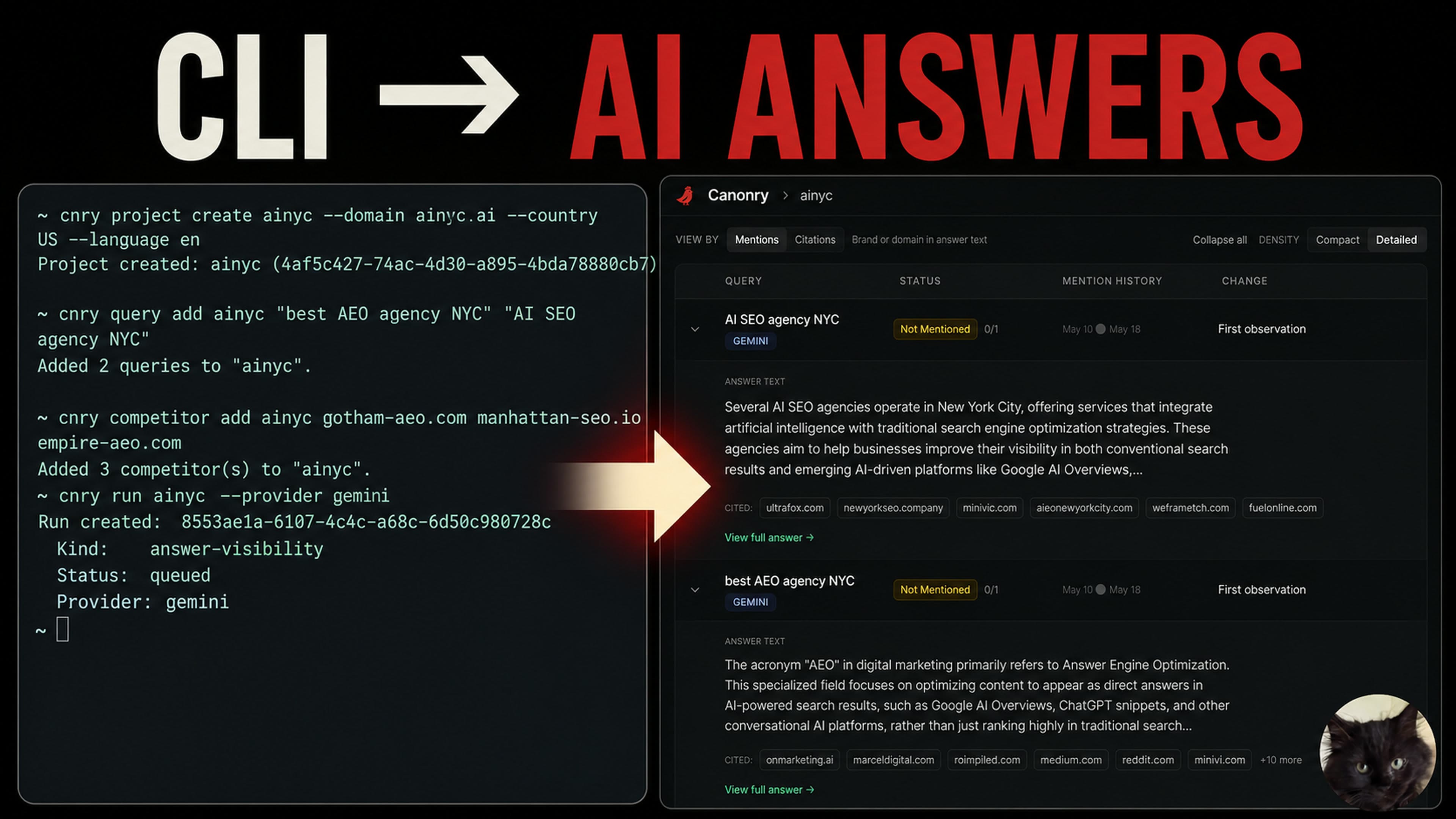
    Add your domain, target questions, competitors, and one provider. Canonry stores the project in local SQLite.

  2. 02

    Run the baseline

    Sweep answer engines, inspect citations, and run the technical AEO audit across the site.

  3. 03

    Hand it to your agent

    Use CLI JSON, REST, MCP, or Aero to trace a gap to evidence and prepare a scoped change.

  4. 04

    Keep authorization human

    Canonry can diagnose and draft. Your agent stops for approval before editing, publishing, or requesting indexing.

Connected evidence

One operating record across the AEO stack.

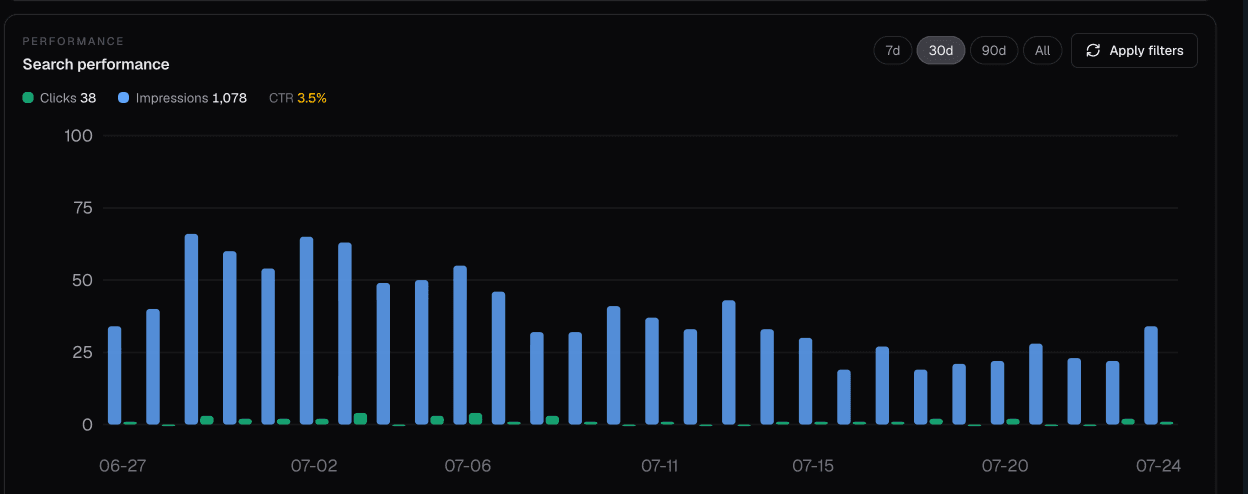
Monitor answer visibility beside the sources that explain it. Canonry keeps each evidence surface available through the same project-scoped system.

Answer engines
ChatGPT, Gemini, Claude, Perplexity, plus OpenAI-compatible local models
Search and analytics
Google Search Console, Google Analytics 4, Bing Webmaster, Google Business Profile
Site evidence
WordPress, Common Crawl, IndexNow, backlinks, technical audits, and structured data
Traffic evidence
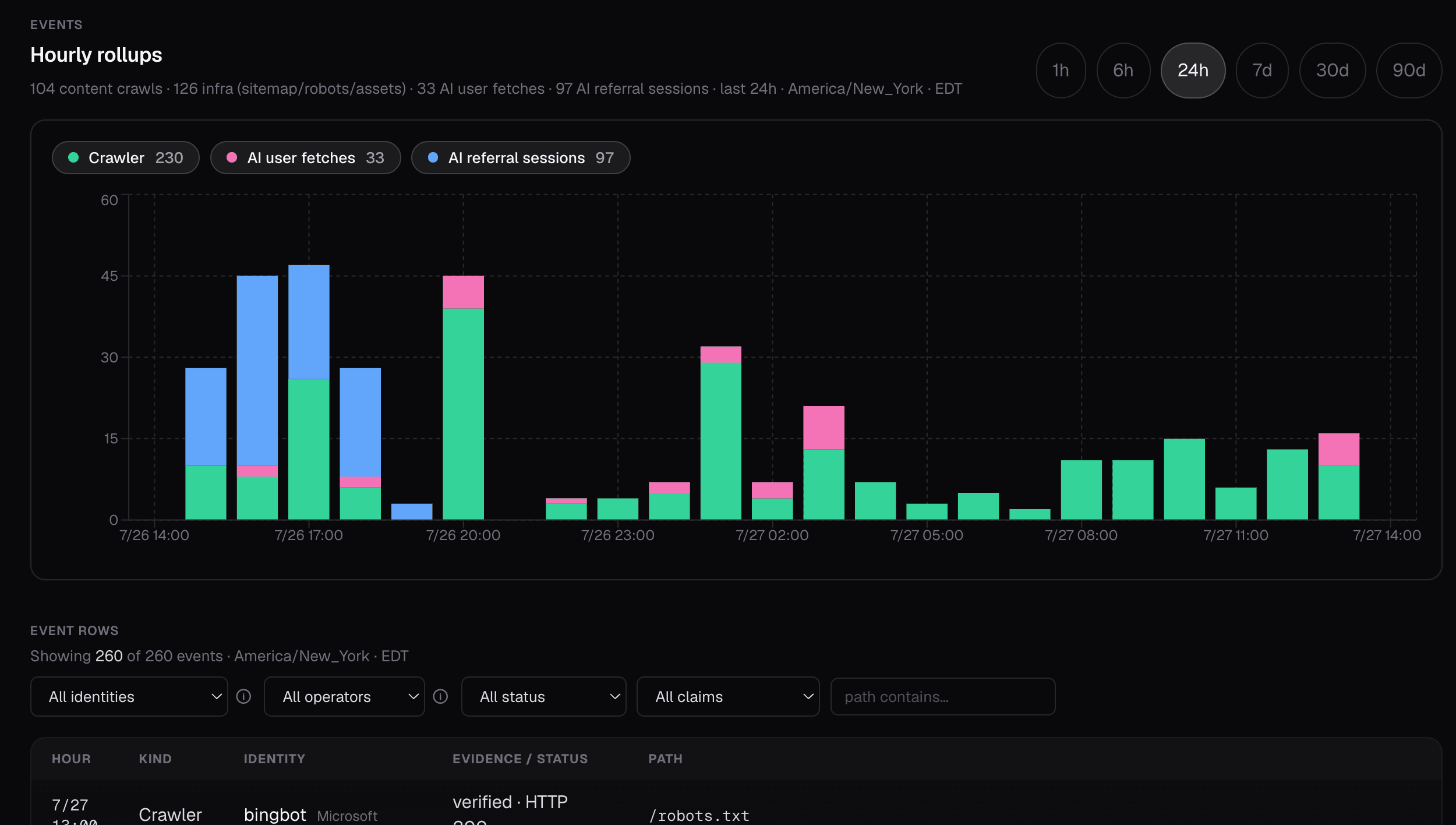
AI crawler and referral logs from WordPress, Vercel, and Google Cloud Run

Two-minute walkthrough

From install to first citation sweep.

See project setup, query and competitor configuration, and the first multi-provider sweep running locally against SQLite.

Watch the Canonry walkthrough

Direct answers

Common questions about Canonry.

What is Canonry?

Canonry is an open-source, agent-first operating platform for Answer Engine Optimization. It tracks how AI answer engines mention and cite a site, joins that evidence with search, analytics, technical, and traffic data, and exposes the same system through a dashboard, CLI, REST API, MCP tools, and webhooks.

Does Canonry replace my coding agent?

No. Canonry supplies evidence, typed tools, budgets, and verification. Your agent does the code work. Bring Codex, Claude Code, Cursor, OpenClaw, GitHub Copilot, or use the bundled Aero agent.

Where does Canonry store my data?

Canonry is self-hosted and single-tenant. By default, its project data lives in one SQLite file on your machine or server. You control the provider keys, backups, and deployment.

Which AI engines can Canonry monitor?

Canonry supports Gemini, OpenAI, Anthropic Claude, Perplexity, and OpenAI-compatible local models. A browser provider can also capture citations from supported consumer interfaces when the web experience differs from an API response.

How does my agent connect?

Codex and Claude Code can install the native Canonry plugin from the Canonry marketplace. The CLI remains the simplest universal path because every command can return JSON. Canonry also exposes a versioned REST API, an MCP adapter with toolkits that load on demand, and signed webhooks for event-driven workflows.

Is the source public?

Yes. The source, issues, architecture, and documentation are public in the Canonry GitHub repository. The npm package is published as @canonry/canonry under the Functional Source License, which converts to Apache 2.0.

Open source · Local-first

Stop guessing who cites you.

Install Canonry, hand it to your agent, and keep the evidence on your infrastructure.

Open-Source AEO Operating Platform | Canonry