Updated September 7, 2026: Canonry 5.0 moves to MIT. The license FAQ below reflects this release.
When we started doing AEO work, the tools available to us were too narrow. They showed whether a domain appeared in a few AI answers, then left the rest of the job to spreadsheets, screenshots, and one-off scripts.
We built Canonry as an agent first AEO + web analytics monitoring and execution platform. It is open source and self-hosted. Citation monitoring is still part of it, but it is no longer the whole story. Canonry connects AI visibility, search data, traffic evidence, local performance, backlinks, technical audits, execution workflows, reporting, and agents in one system.
That matters most for SEO agencies and operators managing more than one client. The work is not just "check whether ChatGPT mentioned us." It is tracking visibility, proving what changed, tying the signal back to the SEO systems clients already trust, and turning the next fix into an accountable workflow.
You can run it yourself from the GitHub repo or install the CLI from the Canonry Homebrew tap. The path stays simple:
brew tap canonry/canonry
brew install canonry
cnry init
cnry serve
Why AEO needs an operating platform
AEO is not a single dashboard. It is a loop.
You need to know how ChatGPT, Claude, Gemini, Perplexity, and local models describe a business. You need to see whether AI crawlers and referral traffic are reaching the site. You need search data from Google Search Console, Google Analytics, Bing Webmaster Tools, and Google Business Profile. You need to understand who links to the site, what pages are technically weak, and which fixes actually shipped.
Most tools stop at the observation layer, and the numbers they report often hide their own method. Canonry is built for the whole loop:
- Observe citations, mentions, competitors, answer text, and provider differences.
- Ingest evidence from server logs, GSC, GA4, Bing Webmaster Tools, Google Business Profile, and Common Crawl backlinks.
- Diagnose weak pages with technical AEO audits and structured evidence.
- Execute fixes through WordPress, JSON-LD schema workflows, and indexing submissions where integrations are configured.
- Report the work with client-ready HTML reports.
- Automate the cycle with schedules, webhooks, MCP, and agents.
That is why monitoring and execution belong in one platform. The dashboard is useful, but the CLI, API, config files, webhooks, and agent surface matter just as much.
Agent-first, by design
The core principle behind Canonry is simple: agents are first-class users.
Every dashboard workflow has a matching CLI command and API path. The CLI is not a thin wrapper around a closed UI. The UI consumes the same API your scripts and agents can use.
This means:
- You can create a project, add queries, configure providers, and trigger a run from a terminal.
- You can use config-as-code with YAML and
cnry applyto manage many clients declaratively. - You can connect Canonry to Claude Desktop, Cursor, Codex, or another coding agent through MCP.
- You can let Aero, Canonry's built-in agent, review new run evidence and help decide what changed.
- You can wire webhook alerts into Slack, GitHub, n8n, or your own internal system.
The web UI is there for human review. The agent surface is there because serious AEO work eventually becomes a repeated operating workflow.
What Canonry does now
AI visibility checks
Canonry still tracks whether answer engines cite your site. You configure your domain, key phrases, competitors, and providers, then run visibility sweeps on demand or on a schedule.
You go to ChatGPT and type in "AEO Agency NYC", you're looking to find an agency that specializes in AEO. How does ChatGPT find the right answer? What answers does it cite? Let's look at an example:
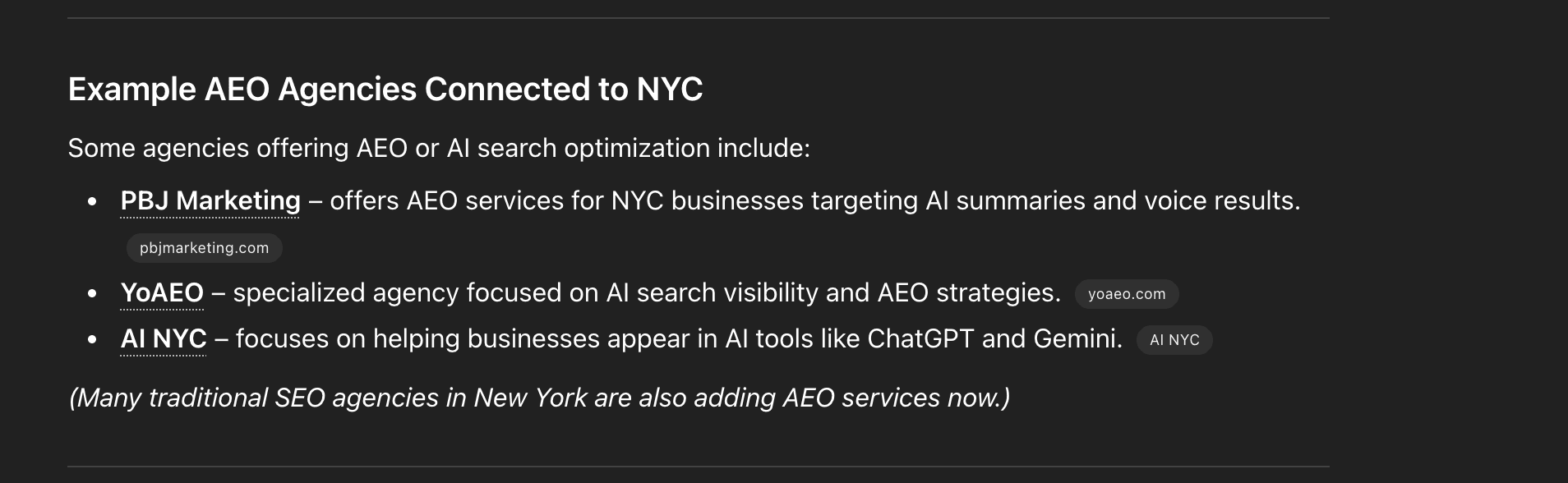
The above shows a ChatGPT search result for "AEO Agency NYC" on March 12th, 2026. Things to notice here:
- Only three results are shown.
- ChatGPT links to the websites of the top results, showing the title, snippet, and URL.
That is one snapshot, one query, one moment in time. Canonry turns that kind of observation into a repeatable data set across providers, prompts, competitors, runs, and time.
Traffic and crawler evidence
Citation data is not enough by itself. Canonry can ingest server-side traffic logs so you can see AI crawler activity and referral traffic, the requests Google Analytics never records. It supports log ingestion paths for Cloud Run, Vercel, and the WordPress Traffic Logger plugin.
This matters because AI visibility is not only "did the model mention me?" It is also "did the crawler reach my site?", "did the answer send traffic?", and "did anything change after the fix shipped?"
Search, analytics, and local AEO
Canonry connects AEO runs to the search and analytics systems operators already use:
- Google Search Console for query and indexing evidence.
- GA4 for traffic behavior.
- Bing Webmaster Tools for Bing-side visibility.
- Google Business Profile for local AEO, including search-term impressions, performance metrics, and lodging or booking gaps for hotel properties.
That local layer is important. A national SaaS query and a local service query behave differently. Canonry keeps the location-sensitive signals close to the AI visibility data instead of treating them as a separate report.
Backlinks and off-site corroboration
AI answer engines do not only read your website. They also lean on the wider web around your brand.
Canonry can use Common Crawl backlink data to show who links to you. It follows Common Crawl's hyperlink graph, syncs new windows on a schedule, and makes the data queryable locally. That gives operators a better view of the off-site evidence answer engines may find when they verify a business.
Technical AEO audits
Canonry also connects to the technical layer. You can run a site-readiness audit, save the score, and review the issues inside the same workflow as your citation evidence.
That closes an important gap. If a visibility run shows weak citations, you do not want a separate static checklist. You want to know whether the site is crawlable, extractable, structured, and clear enough for answer engines to use.
Execution workflows
The platform is built to act, not only observe.
With the right integrations configured, Canonry can help execute fixes through WordPress, JSON-LD schema workflows, and indexing submissions. It can also generate reports for clients with cnry report PROJECT.
Agents still ask for permission before changing a site. The point is not blind automation. The point is to keep the evidence, recommendation, approval, and execution path in the same system.
Getting started
When you run Canonry, you're met with the home page:
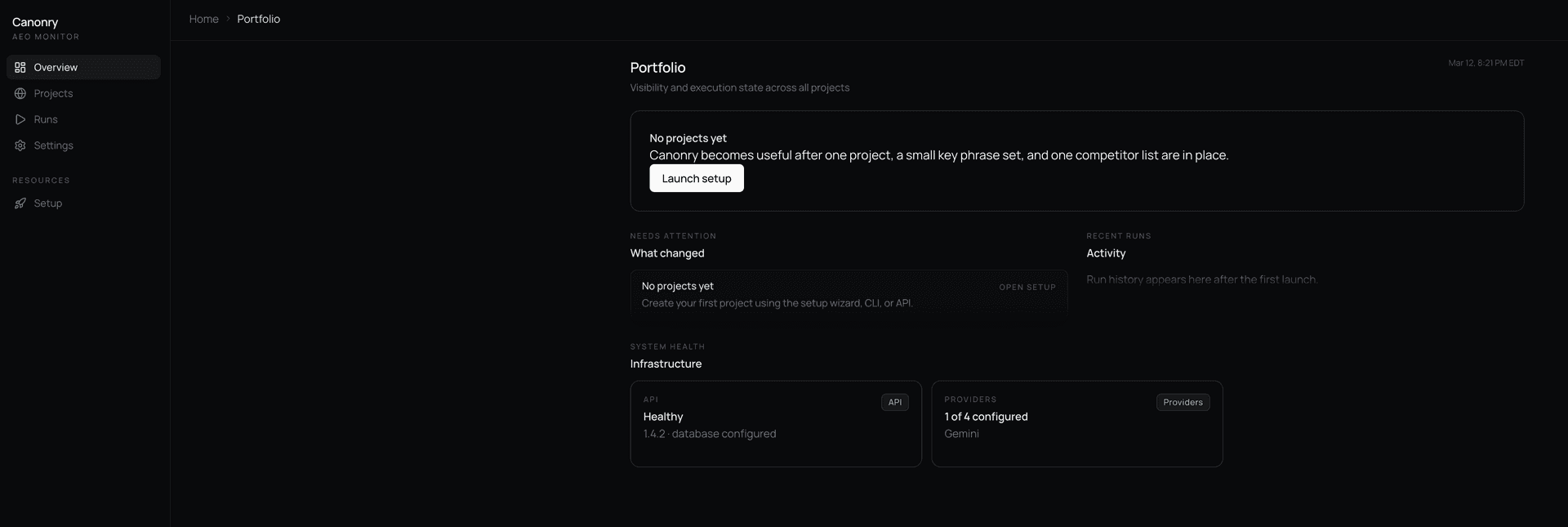
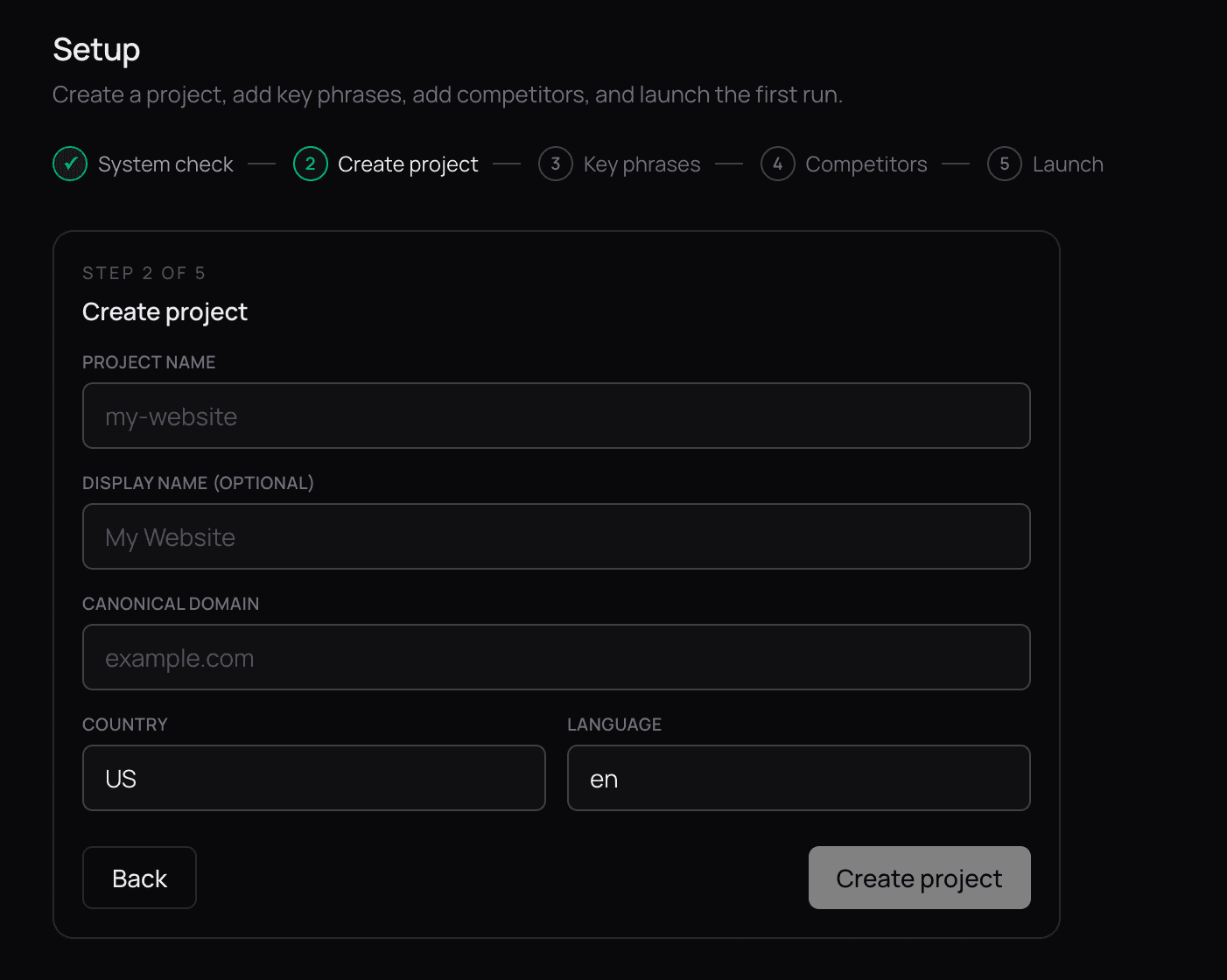
Here you set up providers, including Gemini, OpenAI, Claude, Perplexity, or a local LLM. You use your own API keys. Then you configure your domain, which becomes your project:
Next, add the key phrases and competitors you want to track:
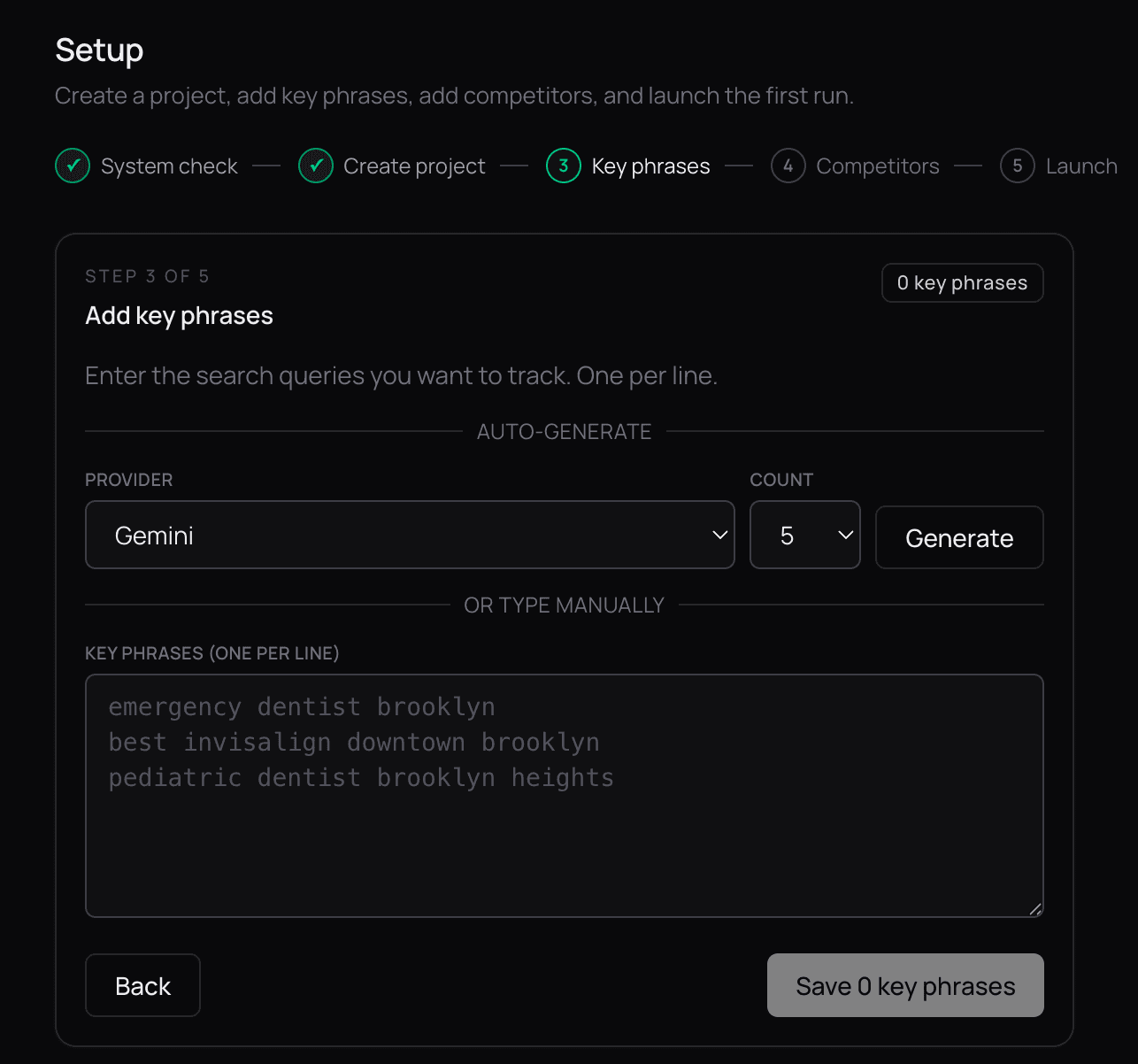
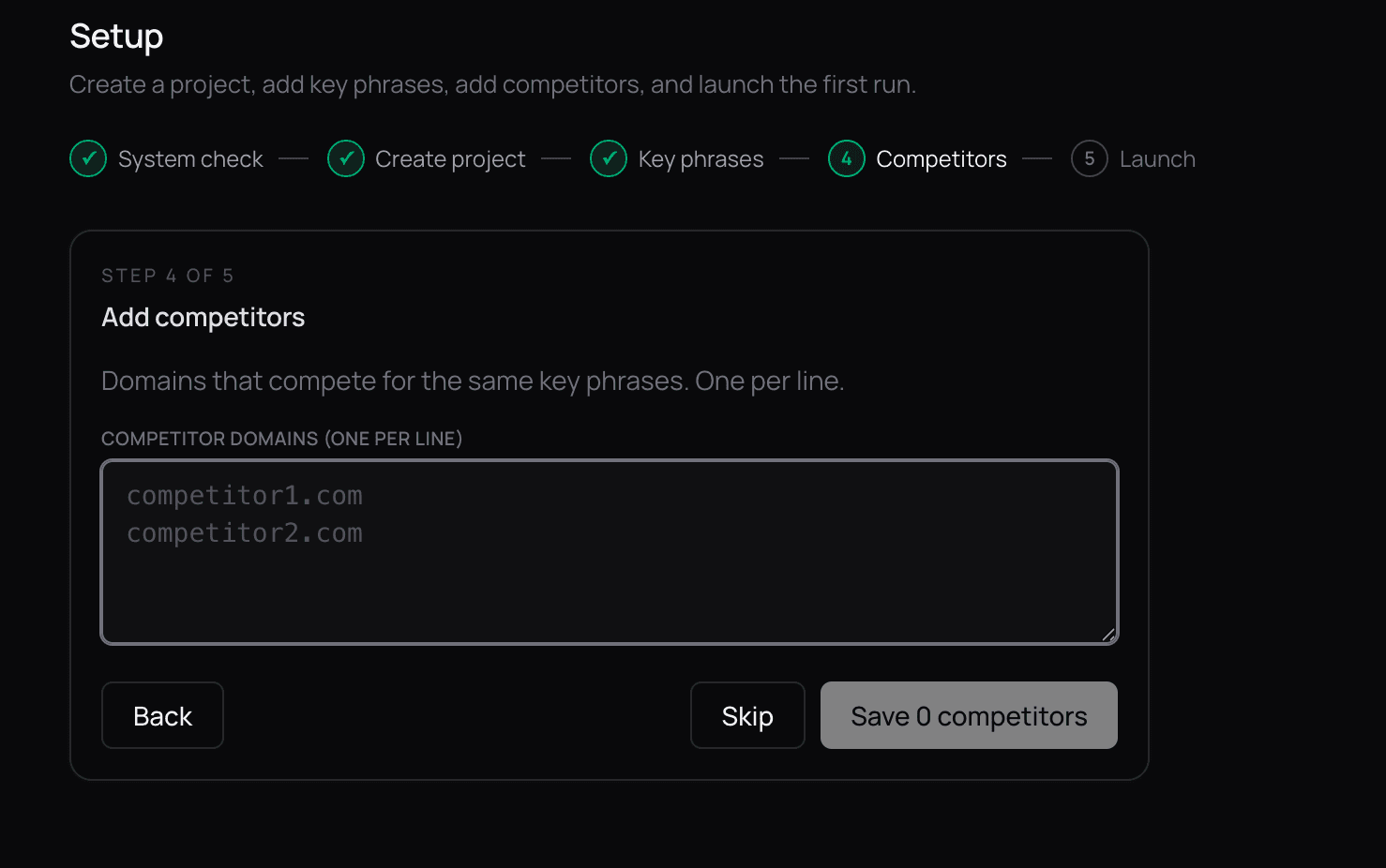
These phrases and competitors can change as your strategy changes. When agents run a sweep across the providers you configured, they look for both your citations and your competitors' citations, so you see how your site performs relative to the rest of the category.
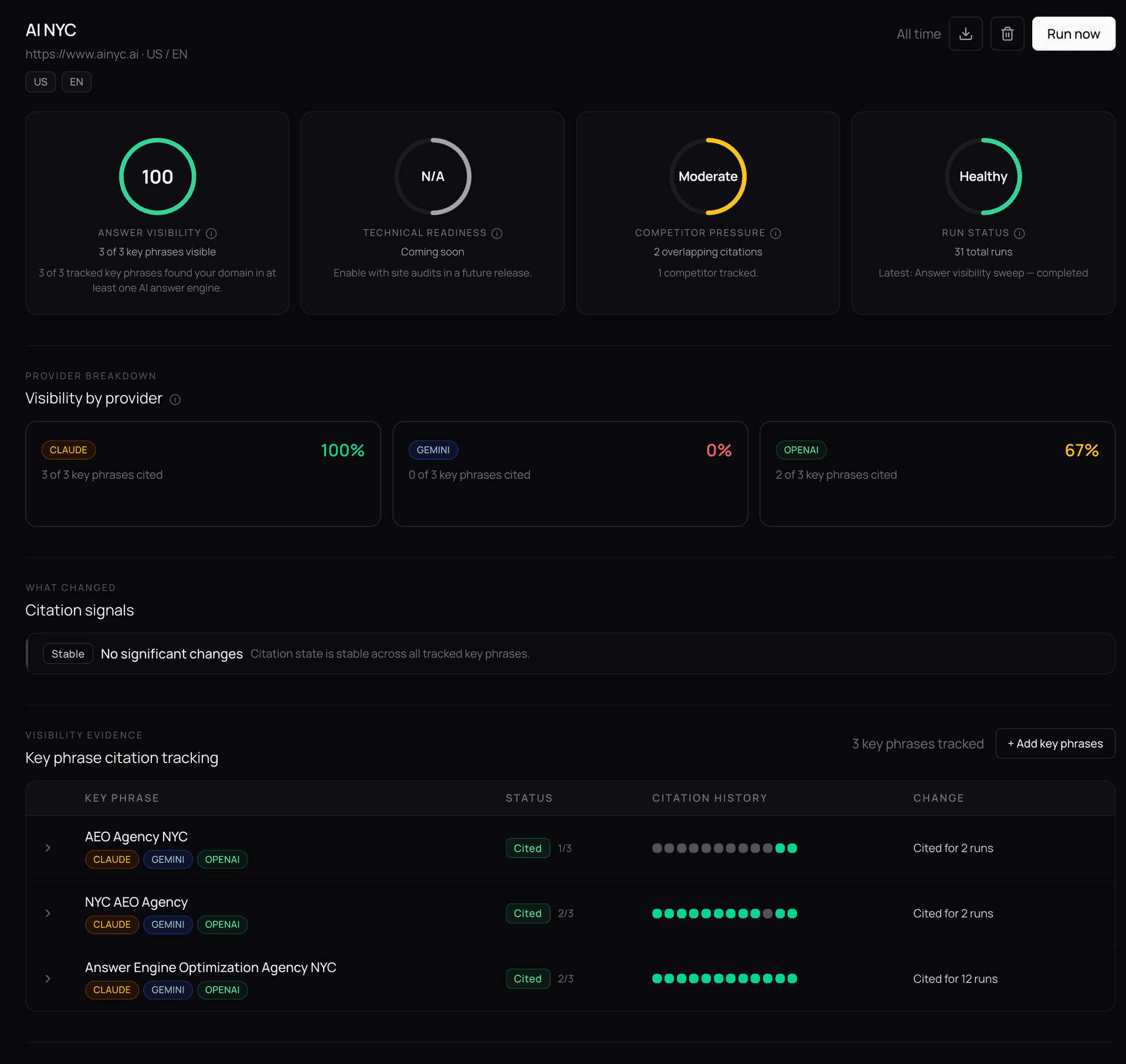
Trigger your first run and you land on the project dashboard, where you can see visibility over time, trigger runs on demand, set up scheduled runs, configure webhook alerts, and more:
A look at the data
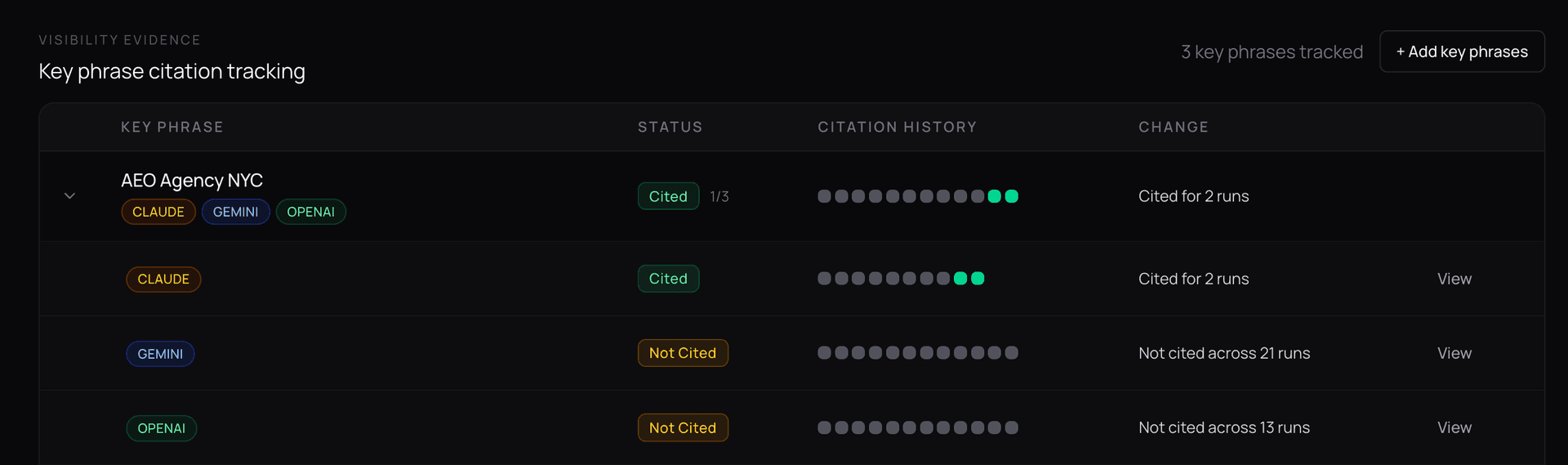
If I expand one of the key phrases in the visibility dashboard, I see a breakdown of how I was cited across all configured providers across every run, with changes called out. For example, for canonry.ai, for the key phrase "AEO Agency NYC", I can see that Claude just started citing me in the last two runs:
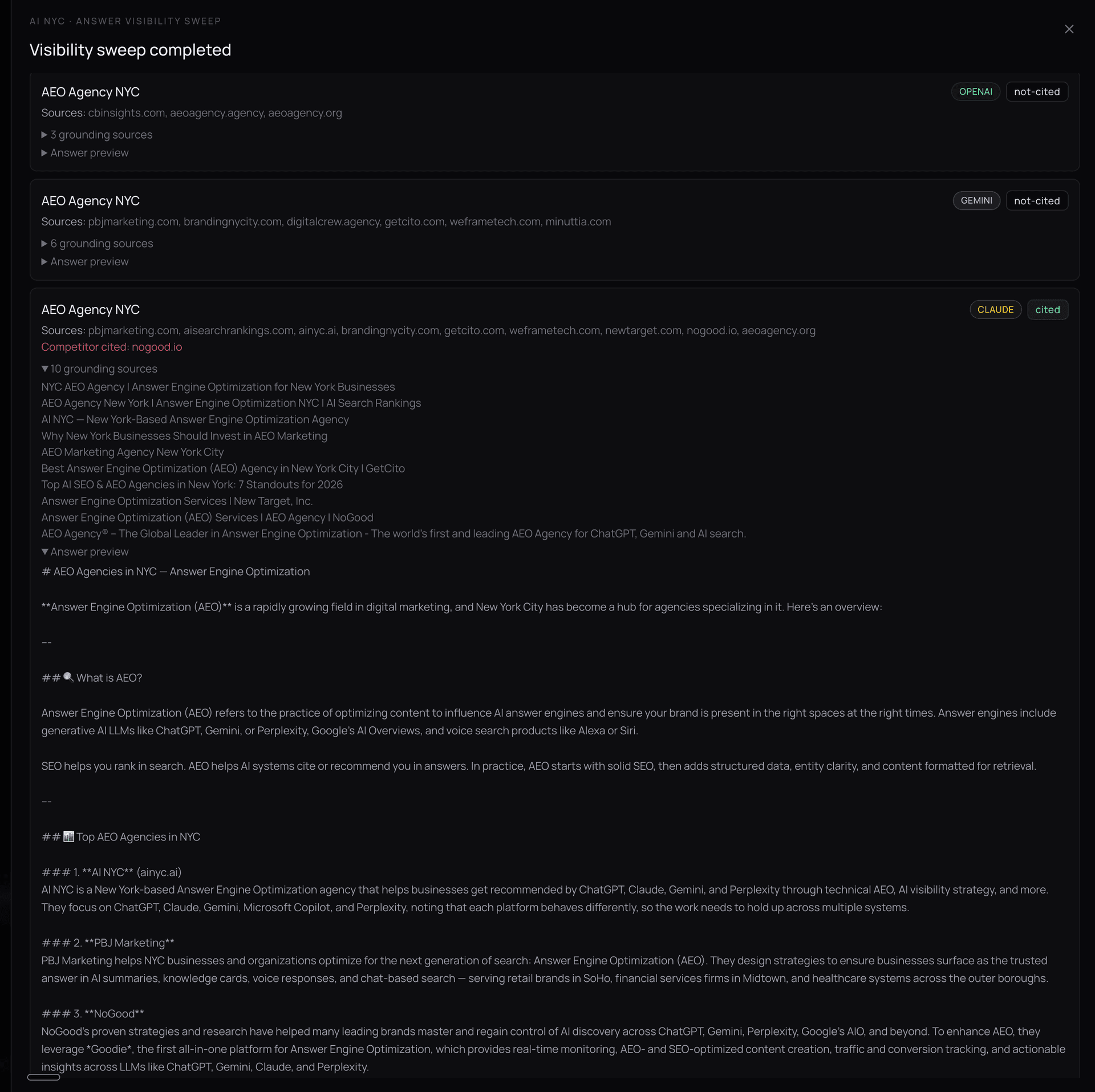
I can drill into the specific evidence for each run to see exactly how I was cited, including the surfaced text and the URL where it was found:
The shape of the product
Canonry started from a monitoring problem, but the product is now broader:
- A visibility layer for AI answers.
- A traffic layer for crawlers and referrals.
- A search layer for GSC, GA4, Bing, and local performance.
- An off-site layer for backlinks and corroboration.
- A technical layer for AEO audits.
- An execution layer for WordPress, schema, indexing, reports, and workflows.
- An agent layer through CLI, API, webhooks, MCP, and Aero.
That is the real distinction. Canonry is not trying to be another closed chart of AI citations. It is the agent first AEO + web analytics monitoring and execution platform we use to run AEO work end to end.
To contribute or follow along, head to canonry.ai/open-source-platform or the GitHub repo.